Wingframe release notes
Wingframe is regularly updated with new features and fixes.
Read about the latest updates in these release notes.
Release notes, Wingframe 8.2
June 27, 2026
This release is all about editing signs faster and keeping better track of your work in progress.
New features & improvements
Bulk editing — the update you've been asking for
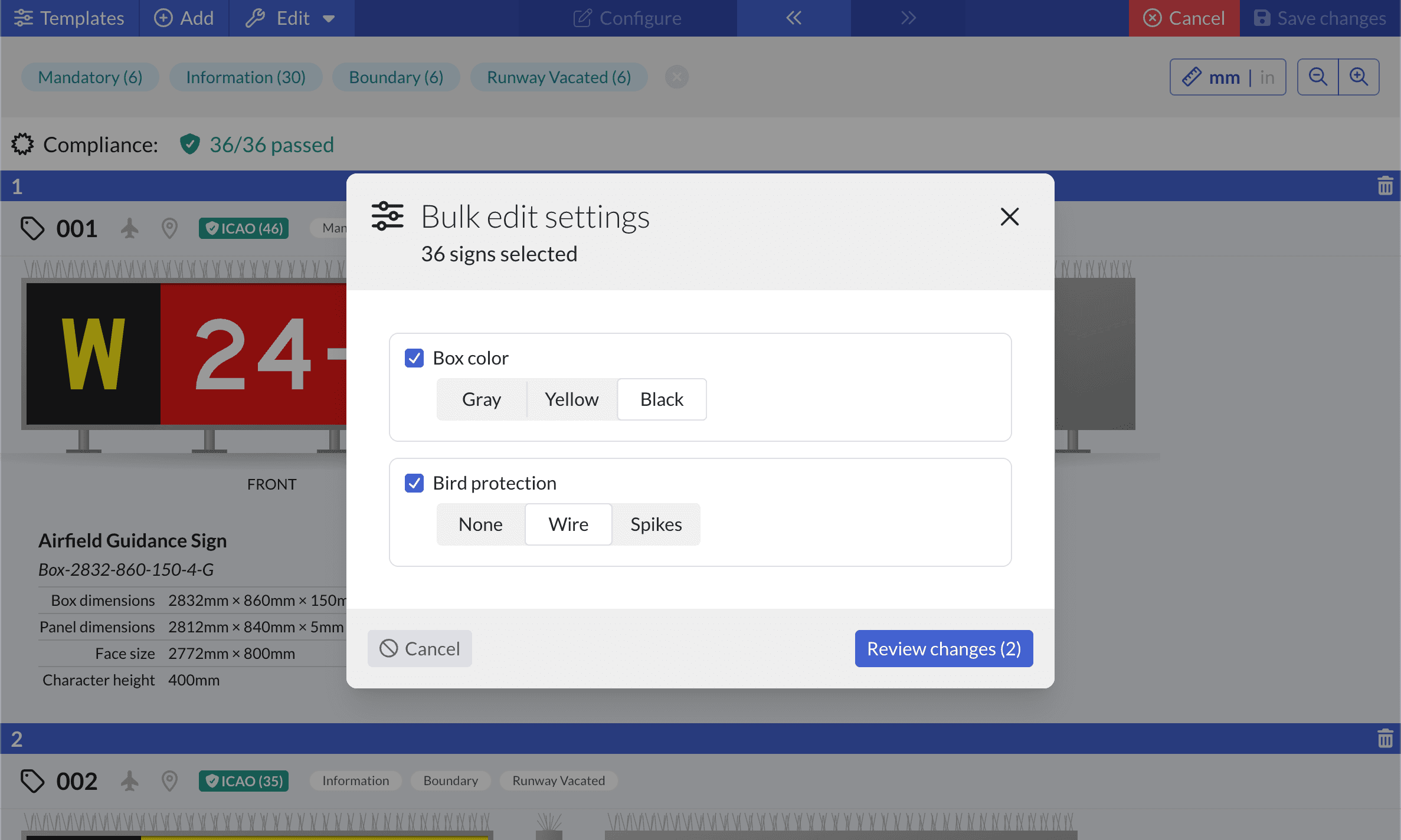
Editing signs one at a time is finally behind you. Select as many signs as you like in a sign list and update their settings in a single action. It's one of our most-requested features, and on large projects it turns what used to be dozens of repetitive edits into a single click.
Never lose track of unsaved changes
Big editing sessions are easier to trust now.
- The Save button carries a badge with the number of signs you've modified, and every changed sign is clearly marked — so you can see at a glance exactly what's pending.
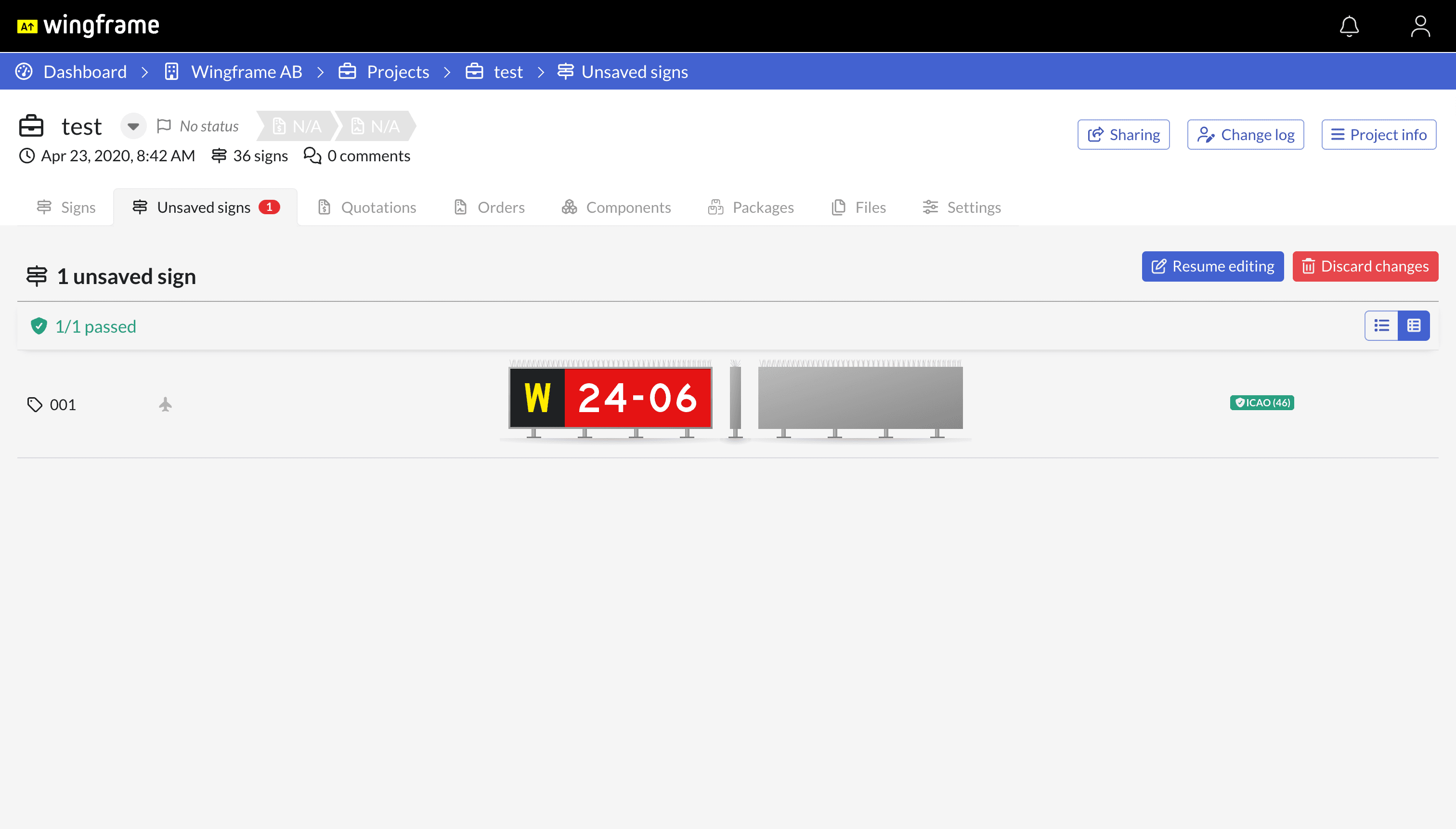
- A new "Unsaved signs" tab on the project gathers up any edits still open in the editor, so nothing slips through the cracks. Jump back in to finish them, or discard them — all from one place.
Insert custom paths
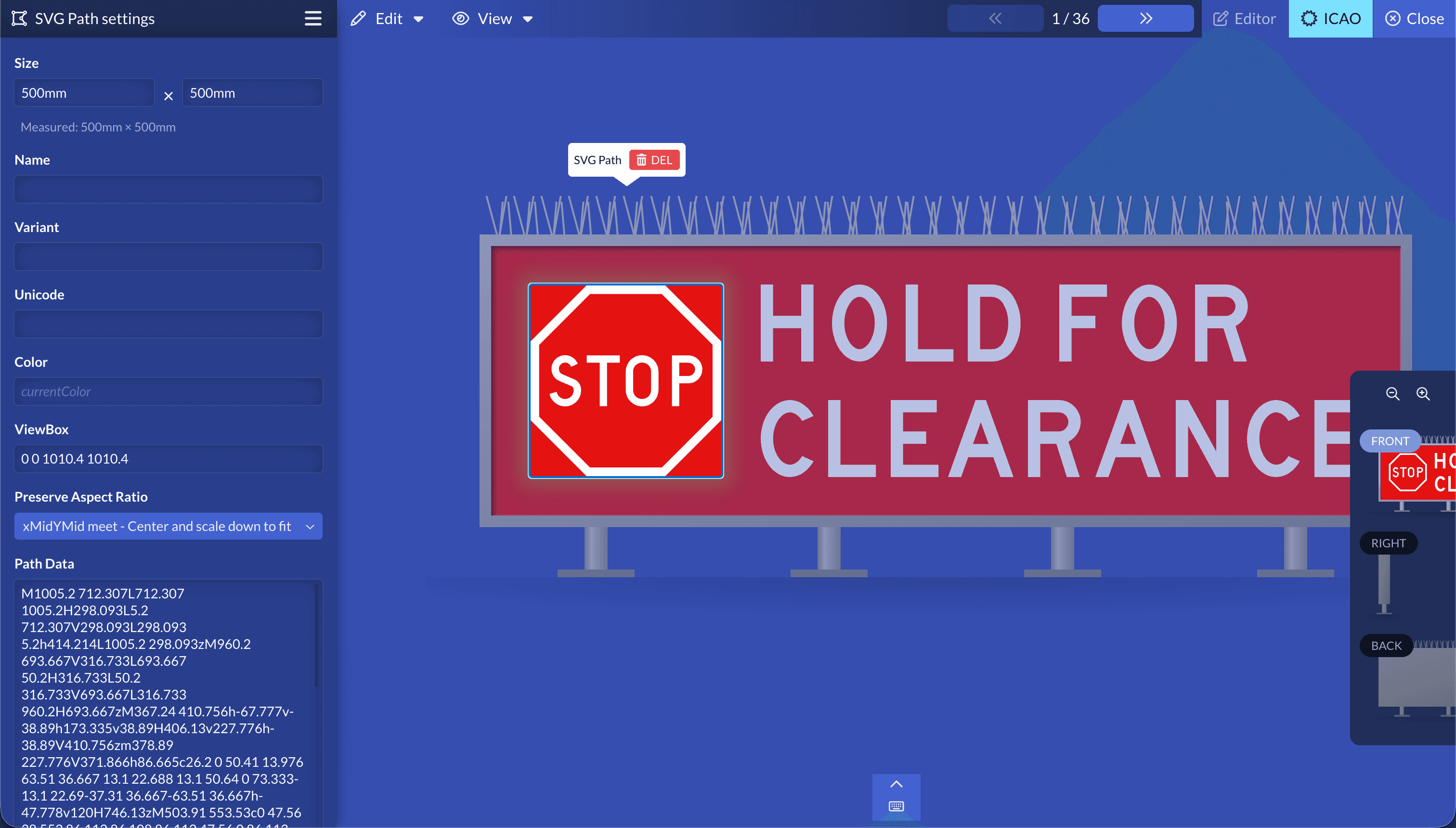
Need a symbol the standard library doesn't cover? You can now drop an arbitrary SVG path onto a sign straight from the insert menu. It starts as a simple airplane icon; paste your own path data and viewBox into the settings to turn it into whatever you need — as long as the artwork is a single, joined path.
The path is placed at a real-world size in millimeters and, by default, takes its color from the sign (currentColor), so it blends in with the rest of the panel. Reach for it when a symbol lives in the standards documents but isn't in the library — a standard STOP sign, for instance — or for non-compliant content such as Arabic text or other custom messages.
Bug fixes
- The editor's next/previous keyboard shortcuts no longer move in the wrong direction.
- The organization airports page no longer crashes when a map pin references an airport that hasn't loaded yet.
- The text content field no longer jumps the caret to the end while you're editing.
- Quotations now open even when their linked order can't be found, instead of the whole page failing to load.
- A range of additional stability fixes.
Release notes, Wingframe 8.1
April 21, 2026
A smaller release, focused on a few handy additions and a round of rendering and reliability fixes.
New features & improvements
"About Wingframe"
A new "About Wingframe" dialog in the user menu shows your current version along with browser and debug details, plus an "Email debug info" button — handy when you need to report something to us.
Compliance report at your fingertips
The compliance status label is now clickable. Wherever you see it — in the editor, in sign and installation lists, or when picking a template — click it to open the full compliance report and see exactly what was checked, instead of just the summary badge.
Editor improvements
- Wingframe now prevents signs with incompatible view systems from being placed together in the same fixture, catching the mistake before it happens.
- Pressing Enter now triggers the primary action in confirmation and alert dialogs.
Bug fixes
- Fixed the top-view rendering of multi-sided signs.
- Unified the outline widths on FAA mandatory-sign symbols and fixed a broken outline on the digit 7.
- On boundary signs (Runway Vacated, ILS Critical Area, Taxiway Ending), the black bars now run all the way to the panel edge, removing the thin yellow line that could otherwise show at the ends when printed on metal-framed panels.
- Various smaller reliability fixes.
Release notes, Wingframe 8.0
March 20, 2026
Wingframe 8 kicks off a new chapter. Alongside a thoroughly modernized interface, this release brings a more secure sign-in, smoother ways to request and manage access, and a set of editor and asset-map improvements.
New features & improvements
A more secure sign-in
We've added email verification to the sign-up flow, so new accounts are confirmed before they're put to use. You can now also change your password directly from your account settings, without going through a reset link.
Requesting and managing access
- On your landing pages, a visitor who's denied access can now request it right from the access-denied screen — and you're notified so you can let them in.
- Licensing for expired organizations now behaves consistently across the app, so it's clearer when and why access is limited.
Asset map
- The map remembers where you left it, so you return to the same location and zoom level next time.
- You can now zoom in much closer to place and inspect assets precisely.
Editor and signs
- Stepping between signs in the editor now shows a position indicator so you always know which sign you're on.
- When adding arrows in the editor, the suggested quick-add option is now context-aware: if a sign already has an arrow, it proposes one pointing the opposite way — fewer clicks to lay out double-arrow signs.
Notifications
- Notifications are marked as read automatically once you've resolved whatever triggered them.
- The "All" tab now shows your full notification history, with pagination for longer lists.
A fresh look for error pages
We redesigned the 404, Access Denied and 500 pages, so that when something does go wrong you get a clearer, friendlier message.
Bug fixes
This release also included a large number of stability fixes across the editor, dashboard, exports and account flows, resolving a range of crashes and edge cases.